
For members
Your attendance
Every check-in and check-out, grouped by day, with a filter for the range you want to see.
The Attendance tab lists your entries newest first, one section per day. Each row shows "Checked In" or "Checked Out", the site and the time.
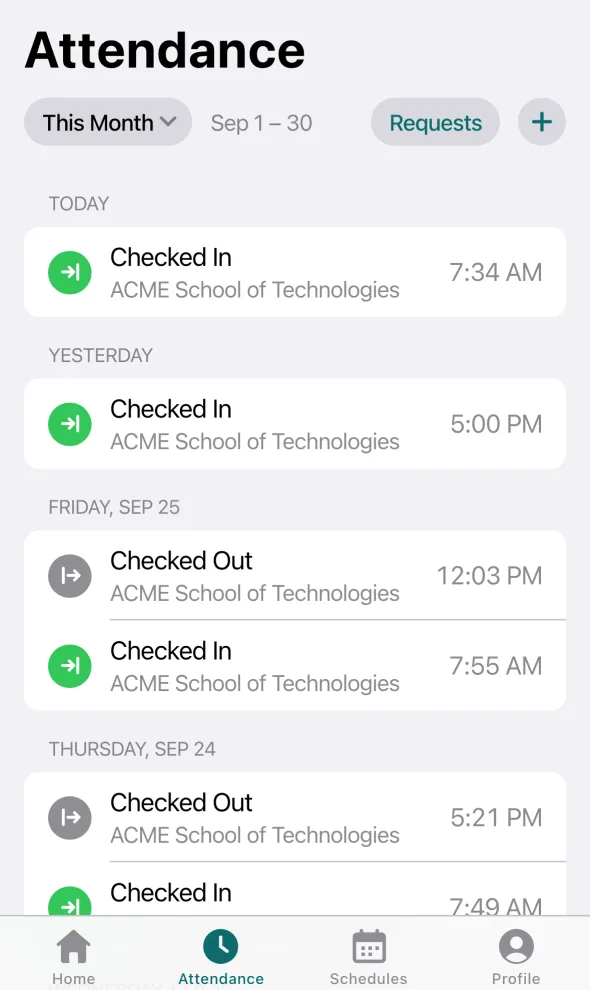
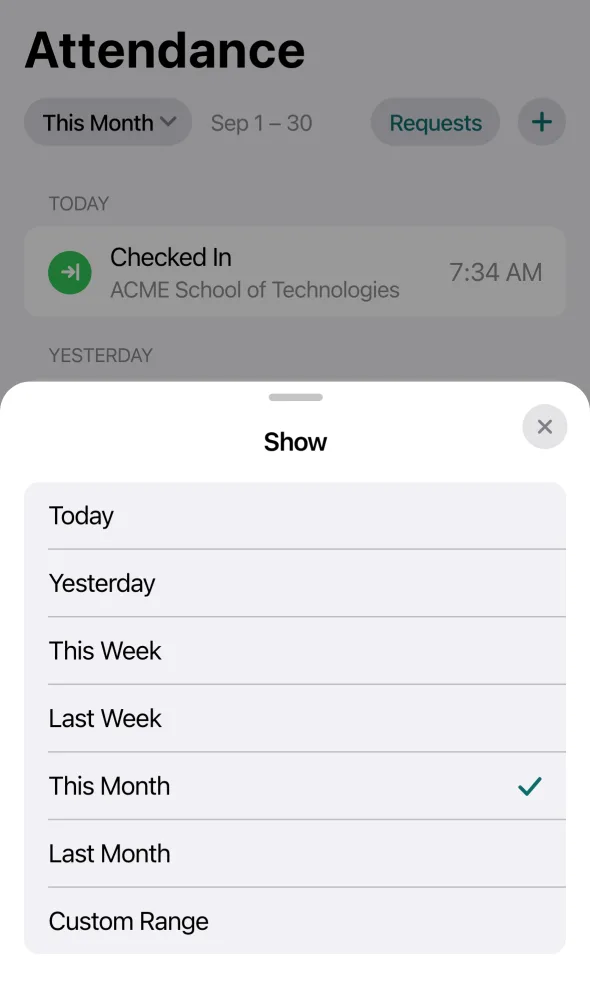
- 1Tap the filter pill at the top (it starts on "This Week").
- 2Pick Today, Yesterday, This Week, Last Week, This Month or Last Month.
- 3Or tap "Custom Range", set "From" and "To", and tap "Show Range".
An orange "Pending" under an entry means you have asked to change or remove it and no one has decided yet.
The "Requests" pill opens My Requests, and the "+" button opens Add Missing Entry. Both are covered in Fixing an entry.
Read next
- Fixing an entryAsk to add a missing entry, correct a wrong one or remove one that isn't yours, and follow it in My Requests.
- HomeHome shows whether you are checked in, what is on right now and what is coming up next.
- Attendance records and requestsReview who checked in and out, add an entry that was missed, and decide correction requests.