
For members
Your schedules
See the schedules you are on, ask to join others, and leave one you no longer need.
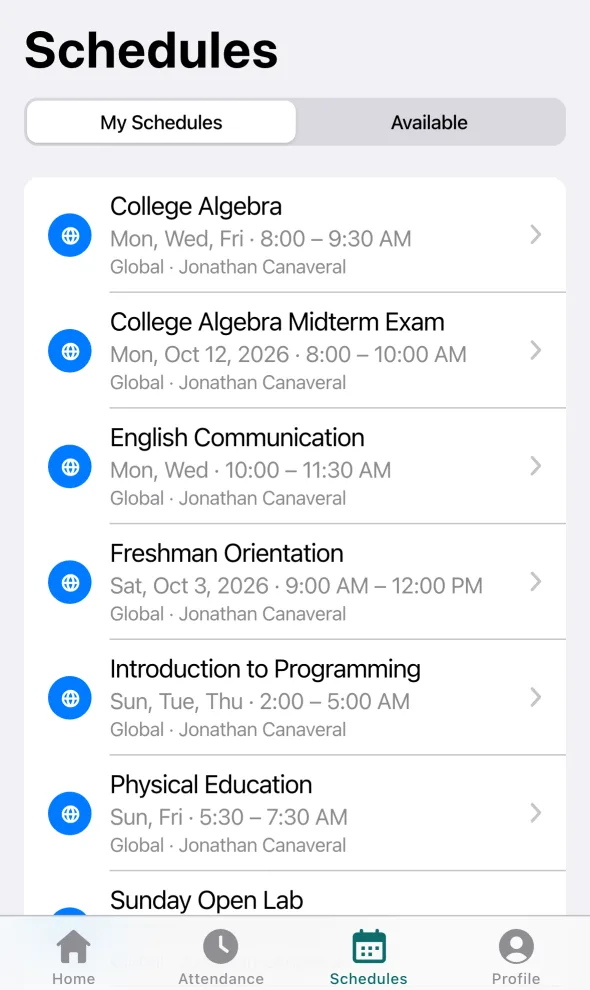
The Schedules tab is where you see the time slots you are on and ask to join others.
A schedule is a named time slot, like "Morning Advisory", that repeats on chosen days or happens once. There are two lists: My Schedules (the ones you are on) and Available (the ones you can join).
There are two kinds. A Global schedule is open to everyone in the institution. A Manager schedule belongs to one manager and their team.
| Type | Who can be on it | Who approves |
|---|---|---|
| Global (globe icon) | Anyone in the institution | An admin |
| Manager (person icon) | A manager and the people who report to them | That manager |
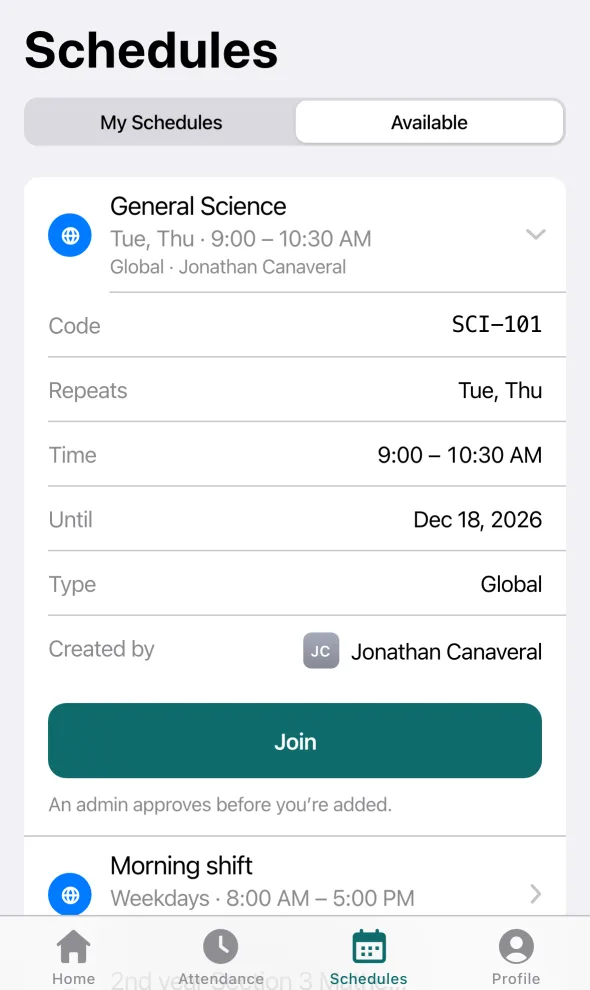
- 1Open "Available" and tap a schedule to see its days, time and who created it.
- 2Tap "Join". The row shows "Requested" until the owner approves.
- 3Changed your mind? Tap "Cancel Request".
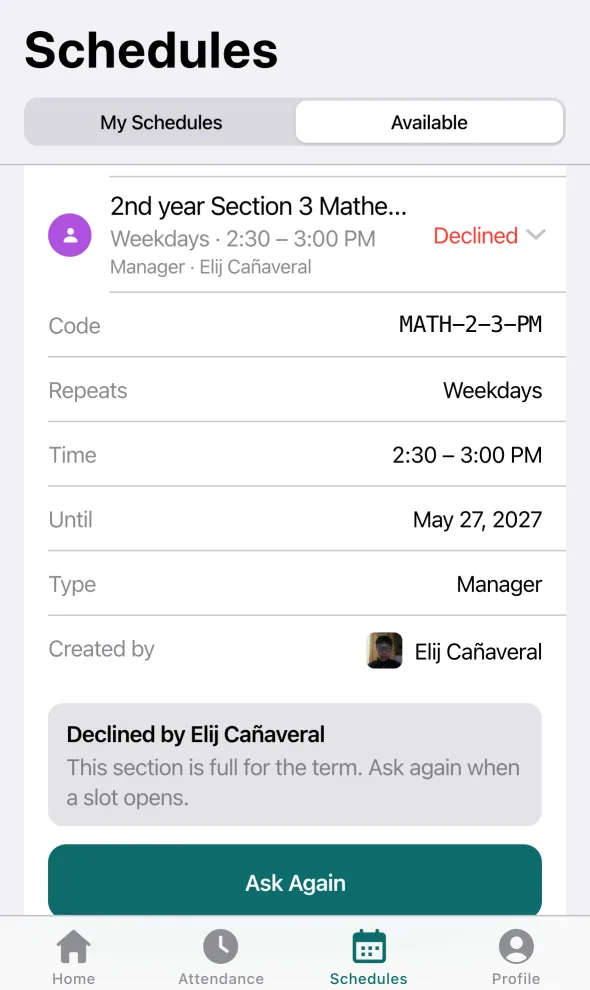
If the owner declines, the row shows "Declined by …" with their reason, and you can tap "Ask Again". You get a notification either way.
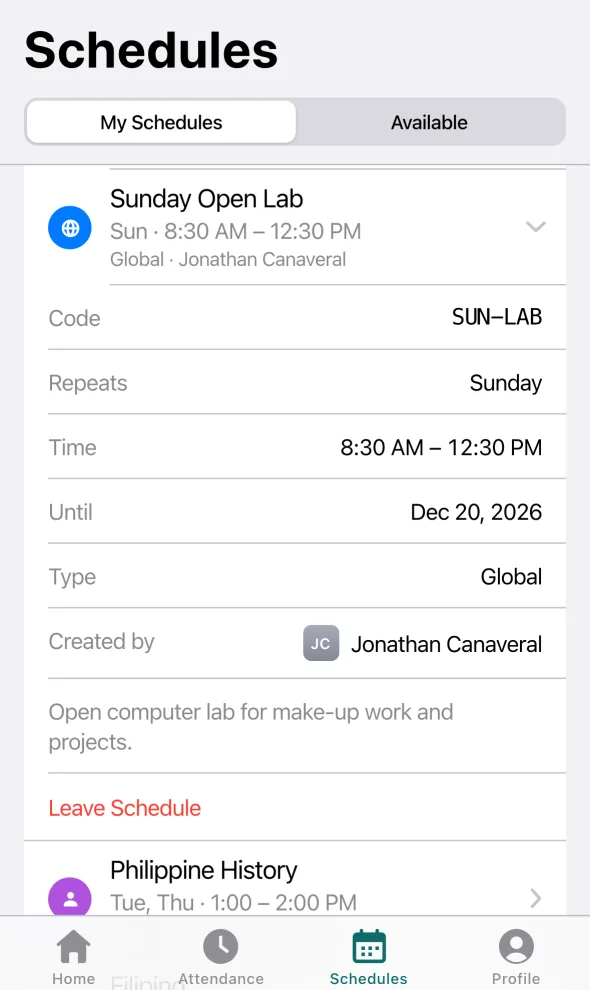
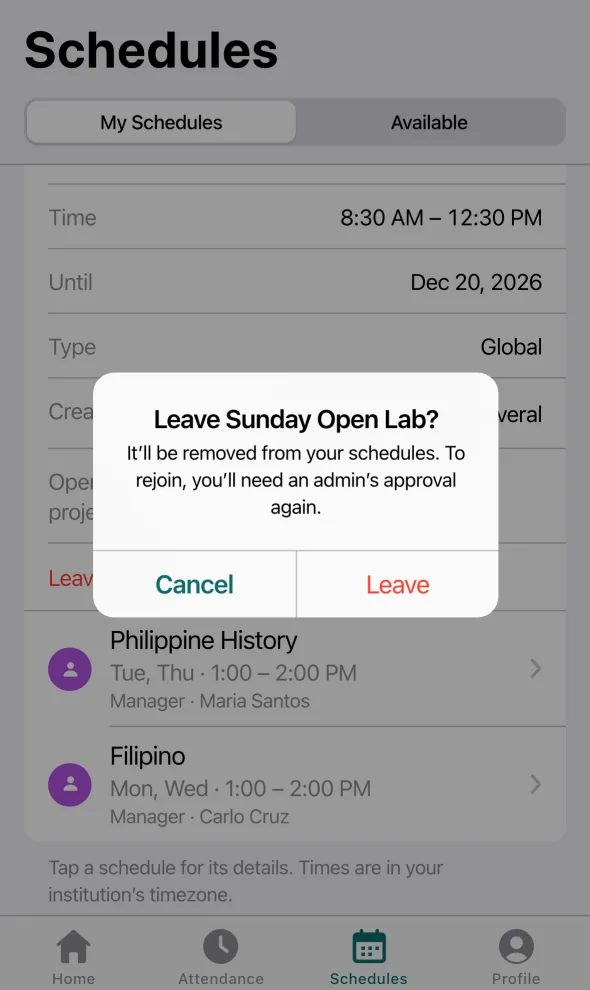
To leave, open the schedule in My Schedules, tap "Leave Schedule" and confirm. To get back on it you'll need approval again.
Read next
- HomeHome shows whether you are checked in, what is on right now and what is coming up next.
- Running schedulesCreate Global or Manager schedules, put people on them, decide join requests and delete what is no longer needed.
- Roles and accessMembers, supervisors, managers, admins and Zentril staff, and what each of them can do.