
For members
Install on your phone
Add Zentril to your Home Screen so it opens full screen in one tap.
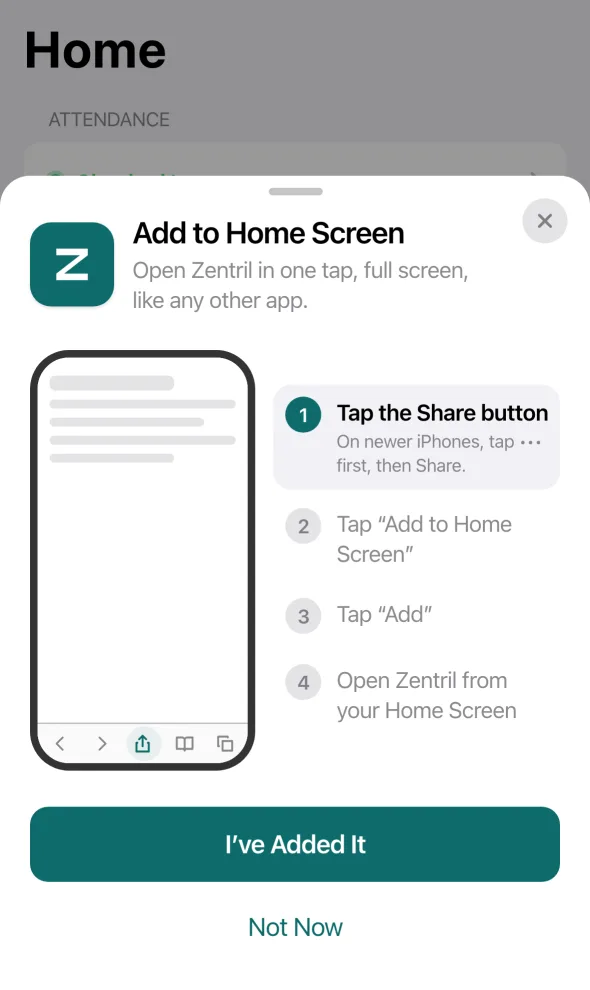
Zentril runs in your browser, but it works best installed: full screen, no address bar, and its own icon. A guide appears by itself on phones and tablets, or open it any time from Profile → "Add to Home Screen".
iPhone and iPad (Safari)
- 1Tap the Share button (on newer iPhones, tap ••• first, then Share).
- 2Tap "Add to Home Screen".
- 3Tap "Add".
- 4Open Zentril from your Home Screen.
Android (Chrome): if you see an "Install App" button, tap it and accept Chrome's prompt. Otherwise open the ⋮ menu, tap "Add to Home screen" or "Install app", then "Install".
When you are done, tap "I've Added It" so the guide stops appearing. "Not Now" hides it until the next time you open the browser.