
Support
Troubleshooting
Quick answers for the most common questions.
Quick fixes for the things people ask about most.
I can't open the dashboard. Only supervisors, managers, admins and Zentril staff can. A desktop shows "No Admin Access" for everyone else; open Zentril on your phone instead.
I was just made a manager but still see "No Admin Access". Dashboard access is worked out when you sign in. Sign out and sign in again.
My phone and the dashboard show an entry on different days. The attendance list on your phone uses your phone's time, the dashboard uses the browser's time, and Home uses the institution's timezone. Check the institution's timezone in Institutions if it looks wrong.
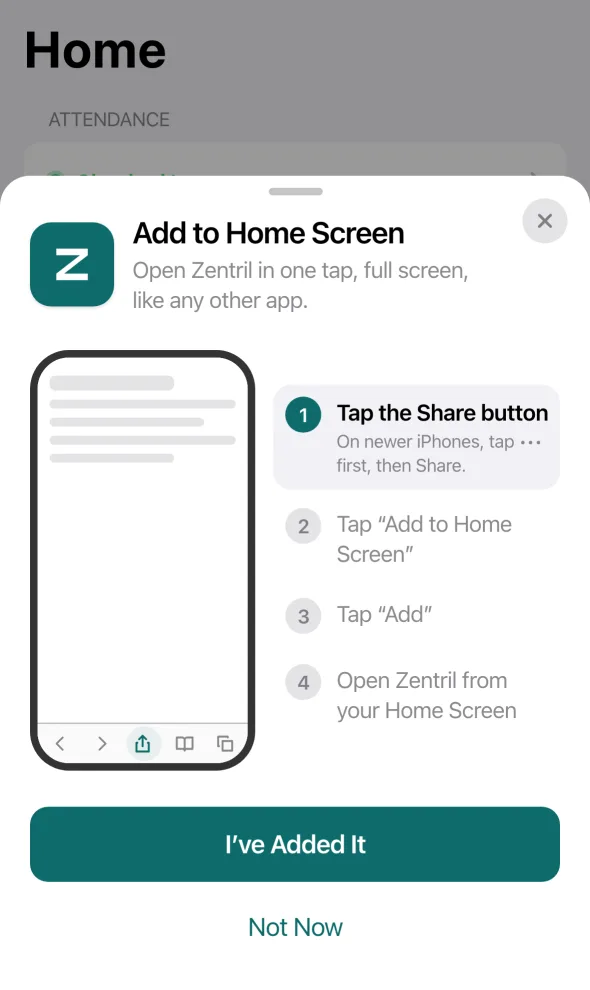
The install guide doesn't show. It never appears inside in-app browsers such as Facebook or Messenger, and it stops once you tap "I've Added It" or open the installed app. Open Profile → "Add to Home Screen" to bring it back, or add ?install-guide to the end of the address.
The camera won't start for the face scan. The screen names the fix: allow camera access in your phone's settings, close another app using the camera, or open Zentril from its secure (https) address.
My join request was declined. The app returns to the code screen the next time you open it. Enter the code again to send a new request.
Read next
- Signing inSign in with your Google account; phones open the app, and tablets and desktops open the dashboard if you run an institution.
- Install on your phoneAdd Zentril to your Home Screen so it opens full screen in one tap.
- The face scanFive poses, the checks that keep the photos usable, and who can see them.