
For admins and managers
Attendance records and requests
Review who checked in and out, add an entry that was missed, and decide correction requests.
Attendance has a "Records | Requests" switch at the top: Records for what was recorded, and Requests for the corrections people ask for.
Records lists every check-in and check-out you can see, newest first and grouped by day, loading more as you scroll. The period menu covers "Today", "Yesterday", "This Week", "Last Week", "This Month" and a "Date Range" of up to 3 months. Search by name, email or phone. Admins can also tap tags to see only people with any of them, or "Untagged" for people with none.
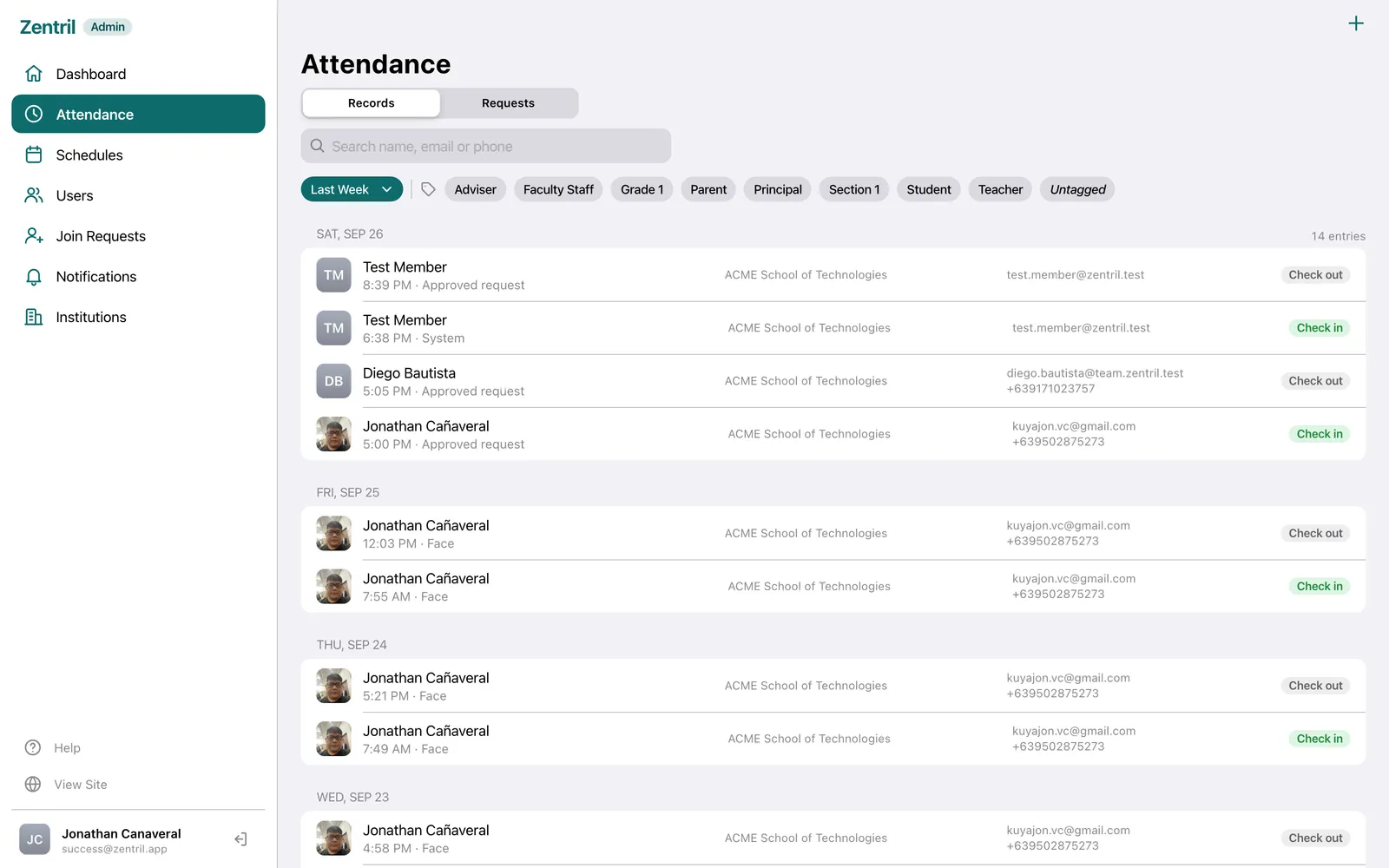
Each entry says where it came from: "Face" (a site scan), "Approved request" or "Added by …", with the note under it.
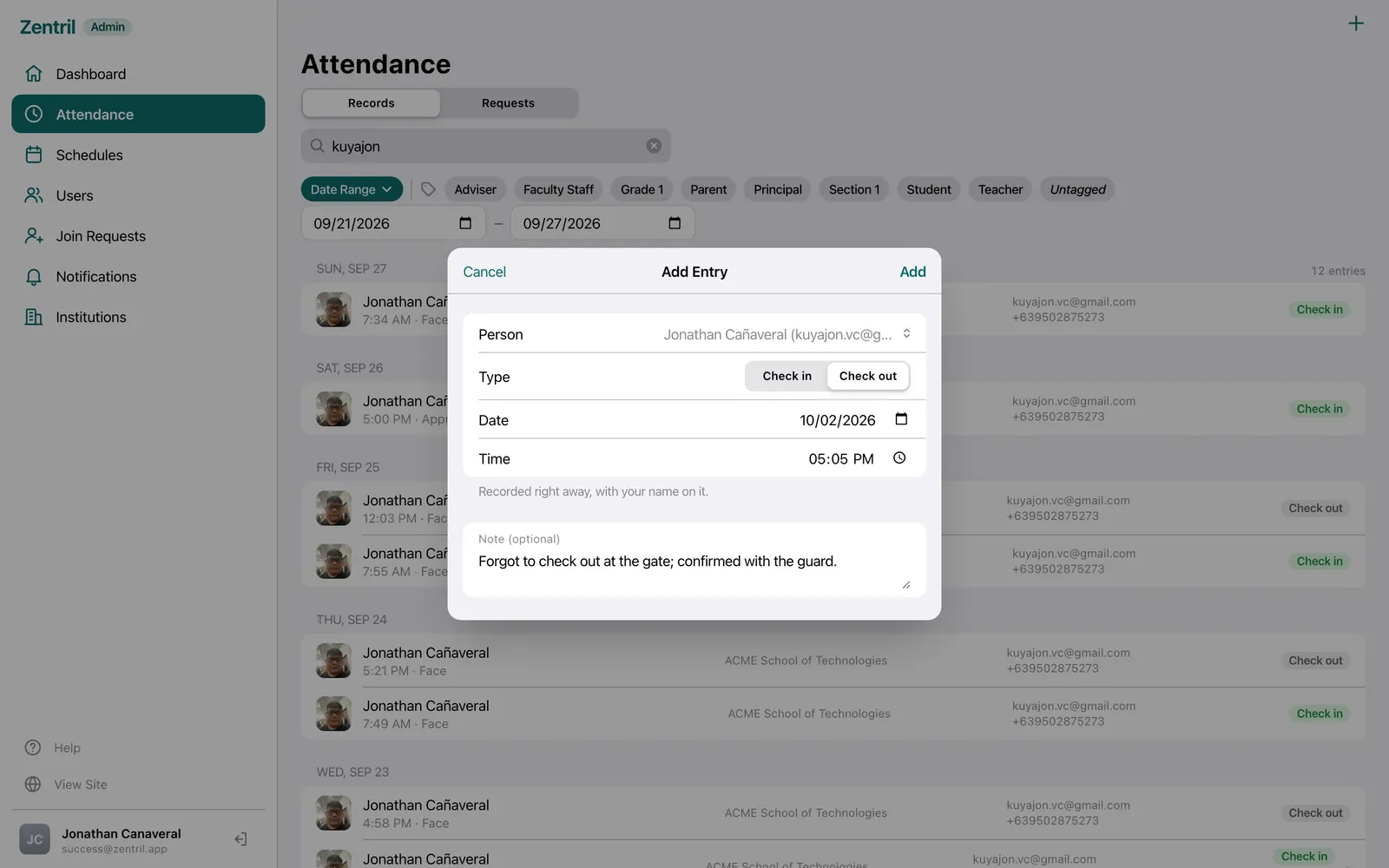
- 1Tap "+" at the top of Records.
- 2Pick the "Person", choose "Check in" or "Check out", and set the "Date" and "Time".
- 3Add a "Note" if it helps, then tap "Add". It is recorded right away with your name on it.
Supervisors can't add entries. They tap "+" to request a missing one, or tap an entry to request a fix, with a reason; the person's lead manager or an admin decides it.
Requests holds the corrections people asked for: a missing entry, a wrong time or type, or an entry to remove. Switch between "Pending" and "Decided". Each row shows what is asked and the reason; tap it for what was recorded, what is proposed and who decides. Search by name, email or phone; admins can filter by tag here too.
| Who decides | Which requests |
|---|---|
| The person's lead manager | Their reports' requests |
| An institution admin | Only when the person has no lead; otherwise the row reads "Waiting for …" |
| Zentril staff | Any request |
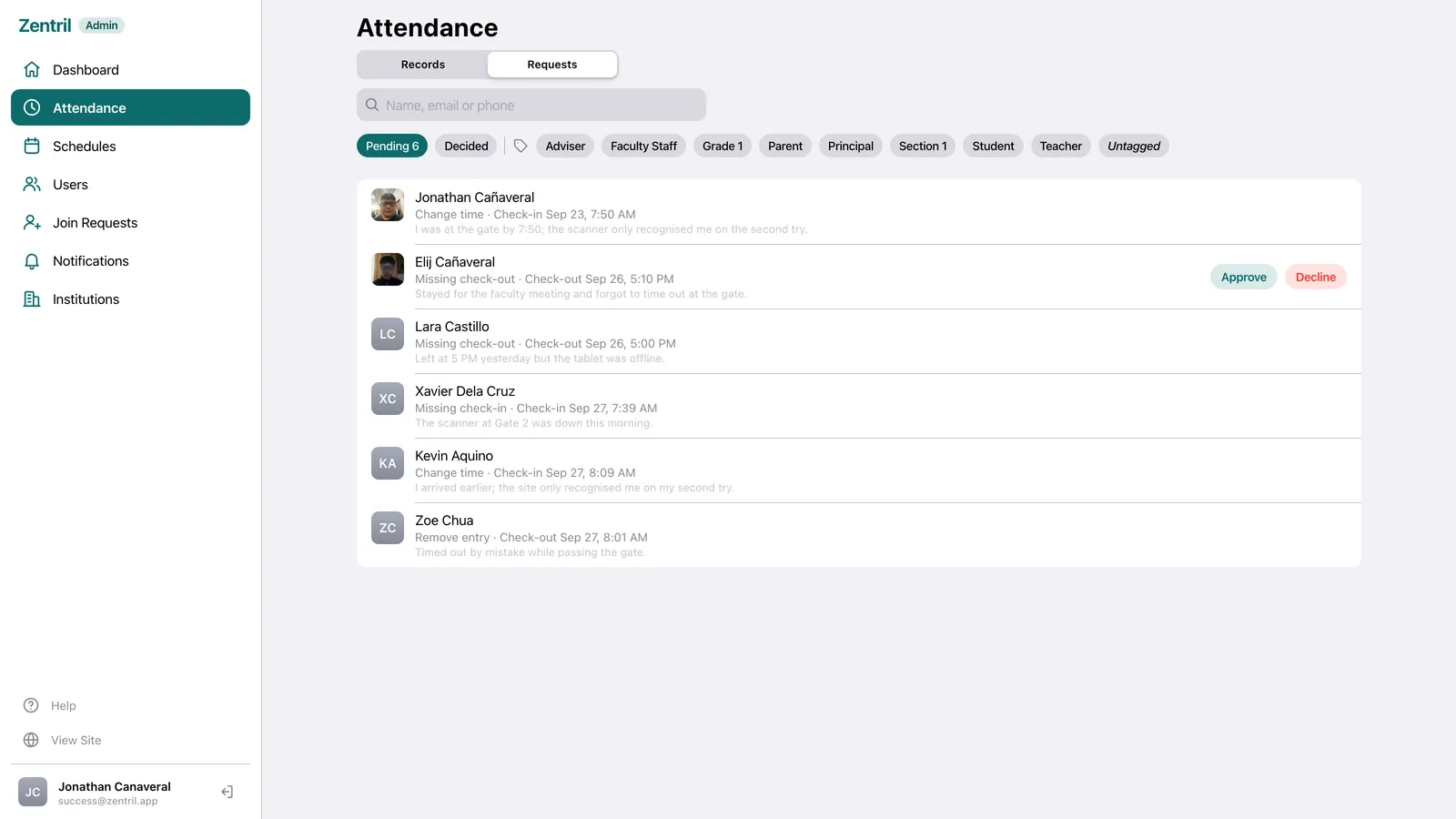
Tap "Approve" or "Decline", add "Remarks" if you like, and tap "Approve" or "Decline" at the top of the sheet. The member sees the decision on their phone straight away.
Read next
- Fixing an entryAsk to add a missing entry, correct a wrong one or remove one that isn't yours, and follow it in My Requests.
- Roles and accessMembers, supervisors, managers, admins and Zentril staff, and what each of them can do.
- The dashboardFive cards that show your schedule, your people, who is in today and what is waiting for you.